
Nullam dignissim, ante scelerisque the is euismod fermentum odio sem semper the is erat, a feugiat leo urna eget eros. Duis Aenean a imperdiet risus.

Customer Environment

The customer used usernames and passwords to authenticate users accessing its air-gapped, local Active Directory-joined Microsoft Windows systems.

Existing Technology Environment

Air-gapped enterprise environment
Local Active Directory
Active Directory-joined Microsoft Windows PCs
Active Directory-joined Microsoft Windows servers
Username-and-password-based authentication
Enterprise application accessed from shared work-area systems

The Challenge

The customer identified the following requirements:

Deploy FIDO2-based authentication across Microsoft Windows PCs and servers connected to the local Active Directory.
Provide secure access to a specific enterprise application using FIDO2 security keys.
Restrict employees from sharing passwords.
Restrict system access to biometric authentication only.
Enable employees to log in to any PC within the work area and access their applications.
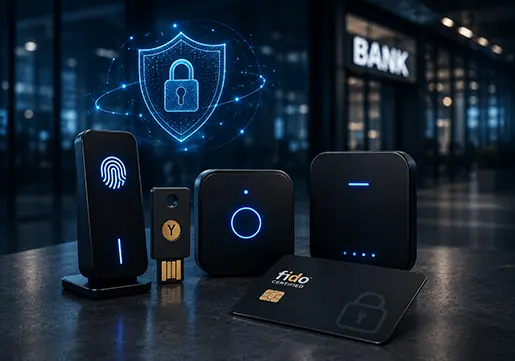
ThinC-AUTH Biometric Security Keys

The Ensurity Solution

In response to the customer’s requirements, Ensurity implemented the XSense IdP solution within the enterprise’s on-premises data centre.

The solution incorporated ThinC-AUTH Biometric Security Keys, XSenseCPP, and the AMS Module to enable biometric FIDO2 authentication and centrally manage the complete security key inventory.

Solution Implementation

01

On-Premises XSense IdP Deployment

Ensurity implemented XSense IdP within the customer’s on-premises data centre.

The on-premises implementation supported the organisation’s air-gapped environment without requiring external connectivity.

ThinC-AUTH Biometric Security Keys
02

Security Key Life Cycle Management

The inventory of ThinC-AUTH devices was managed through the AMS Module, the life cycle management system available within XSense IdP.

AMS Module Functionality

The module supported:

  • Centralised inventory management of ThinC-AUTH devices
  • Management of biometric security keys within the enterprise environment
  • Administration of security keys throughout their operational life cycle
  • On-premises management without external access
03

Customised ThinC-AUTH Biometric Security Keys

Ensurity customised the ThinC-AUTH Biometric Security Keys according to the enterprise’s authentication and security requirements.

The keys were configured with corporate licences for use specifically with:

  • XSense IdP
  • XSenseCPP

This configuration required users to authenticate using their registered biometrics, providing stronger user attribution and enhancing security.

Customised ThinC-AUTH Biometric Security Keys
04

Biometric-Only Authentication

The customised security keys required users to authenticate through their registered fingerprints.

This helped the organisation:
  • Restrict access to registered users
  • Prevent password and authenticator sharing
  • Establish user attribution for every login
  • Strengthen access to enterprise systems and applications
Biometric Only Authentication
05

Cross-Platform Fingerprint Enrolment Tool

Ensurity supplied a customised software tool for enrolling user fingerprints.

The tool supported:

  • Microsoft Windows
  • macOS
  • Linux

Fingerprint enrolment was completed as a one-time activity. The registered fingerprint settings were saved directly on the connected ThinC-AUTH device.

06

FIDO2 Sign-In for Air-Gapped AD-Joined Systems

FIDO2 security key sign-in to Windows machines is conventionally supported in Hybrid AD and Azure AD environments.

XSenseCPP extended this functionality to air-gapped, local Active Directory-joined machines.

The solution enabled users to sign in using:

  • Their domain credentials
  • ThinC-AUTH FIDO2 Biometric Security Keys
  • Their registered biometric information
FIDO2 Sign-In for Air-Gapped AD Joined Systems
07

Access Across Shared Work-Area PCs

The solution enabled authorised employees to log in to different Active Directory-joined PCs within the work area and access their assigned applications.

Authentication remained linked to the employee’s domain credentials and registered biometric security key.

Solution Capabilities

The implemented solution supported:

FIDO2-based authentication for local AD-joined Windows PCs

FIDO2-based authentication for local AD-joined Windows servers

Support for air-gapped environments

Biometric-only user verification

Secure access to enterprise applications

Authentication through domain credentials and biometric security keys

User attribution through registered fingerprints

Prevention of password and authenticator sharing

Centralised ThinC-AUTH device inventory management

On-premises security key life cycle management

Fingerprint enrolment across Windows, macOS, and Linux

Storage of fingerprint information directly on the ThinC-AUTH device

Employee access across different PCs within the work area